
Record with WOO Sensor
Record Session
Before the beach:
-
Make sure your WOO is charged.
-
Connect to your phone to set the current date and time on your WOO.
-
Check for any firmware updates if there is any complete the update.
-
Ensure your board mount is mounted correctly, place WOO in the mount - Power button facing the right foot - and close the straps.
Starting the recording
- Power WOO on by pressing the button for 2,5 seconds.
- Start recording by taping the button.
- Go out and jump as high as you can or preform your favourite tricks.
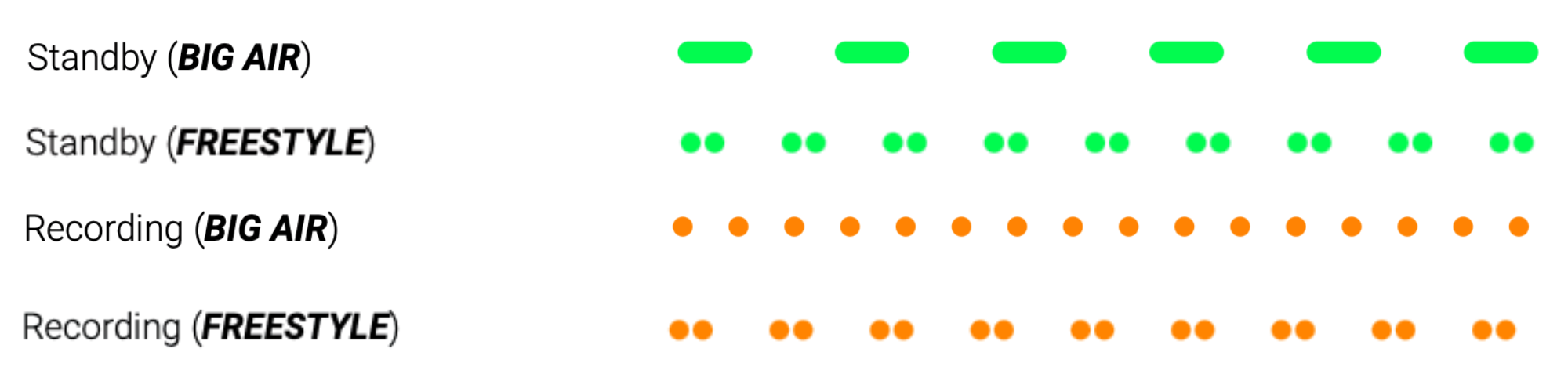
Here is the WOO LED cheat sheet:
After the session:
- Tap the power button to end the recording.
- connect to your phone to download the session.+
Save Session
- Tap the WOO power button to stop recording
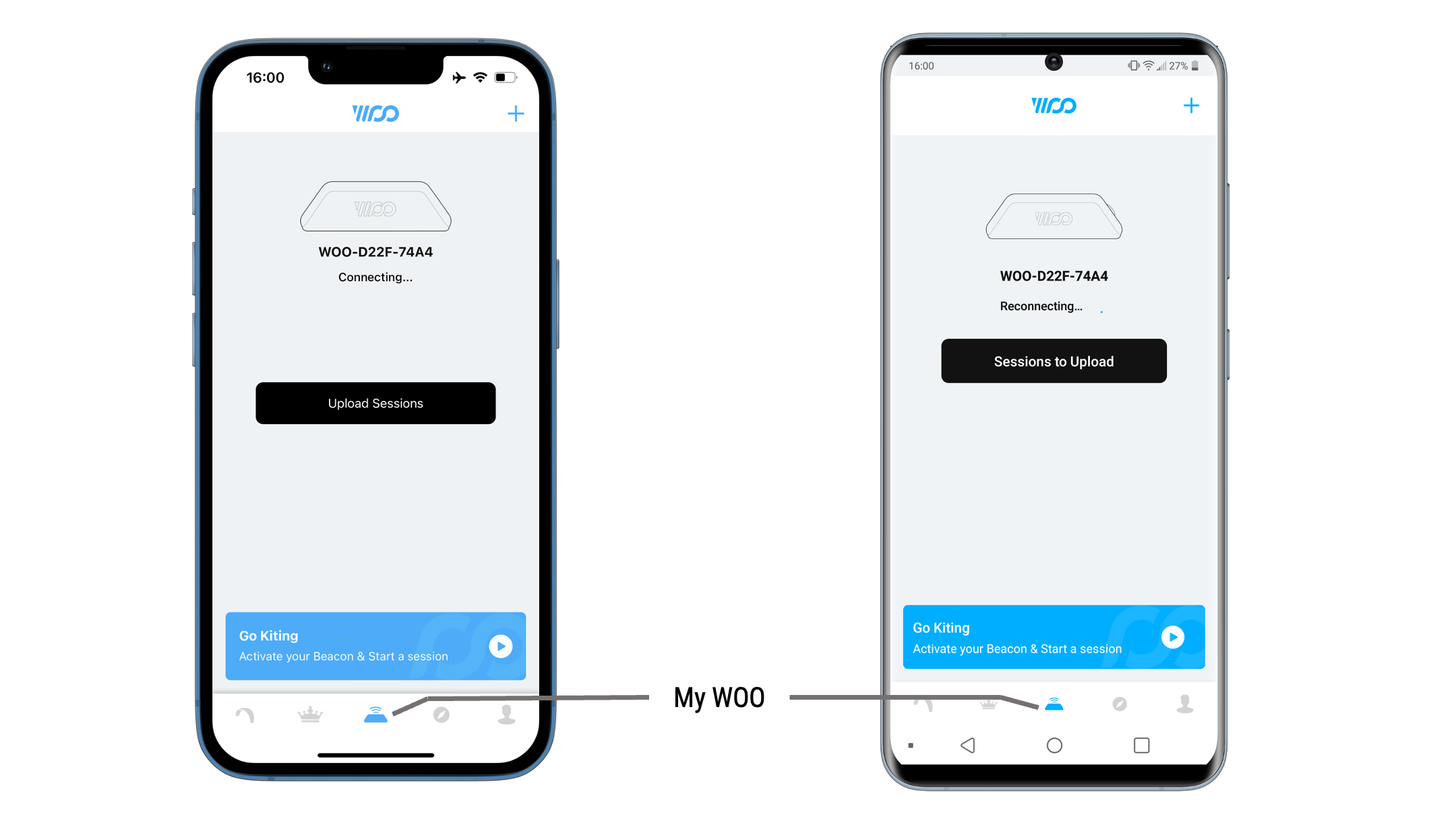
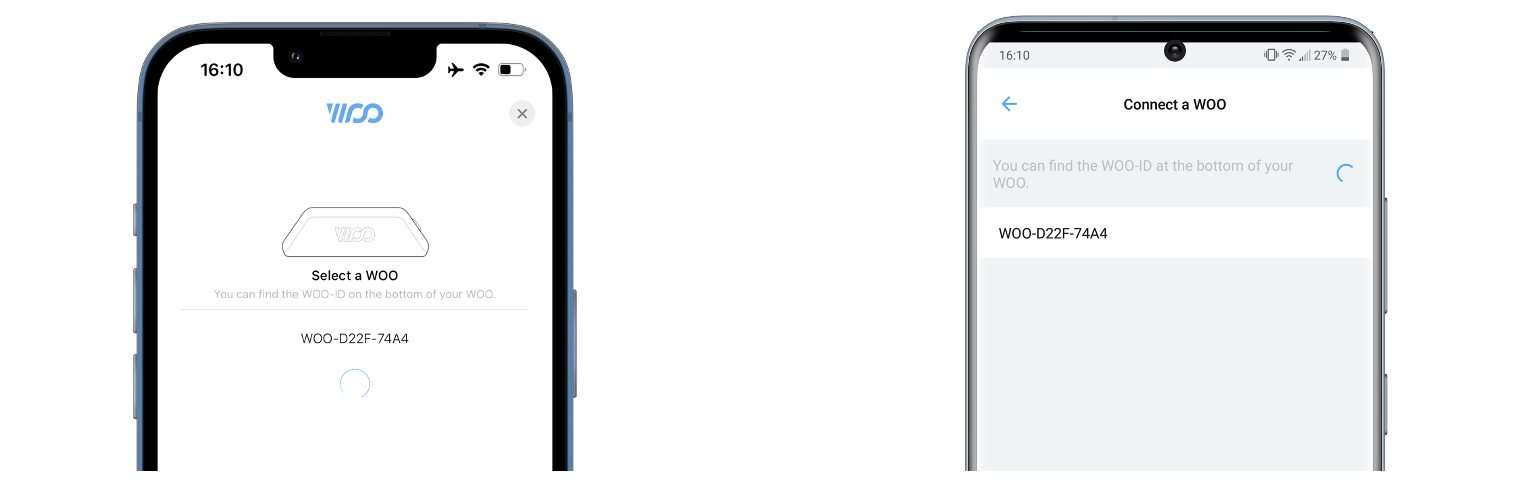
- Open WOO app on the "My WOO" page if your WOO does not connect automatically you can connect by pressing the "+" on the top right of the screen and tap on your WOO ID once it pops up.
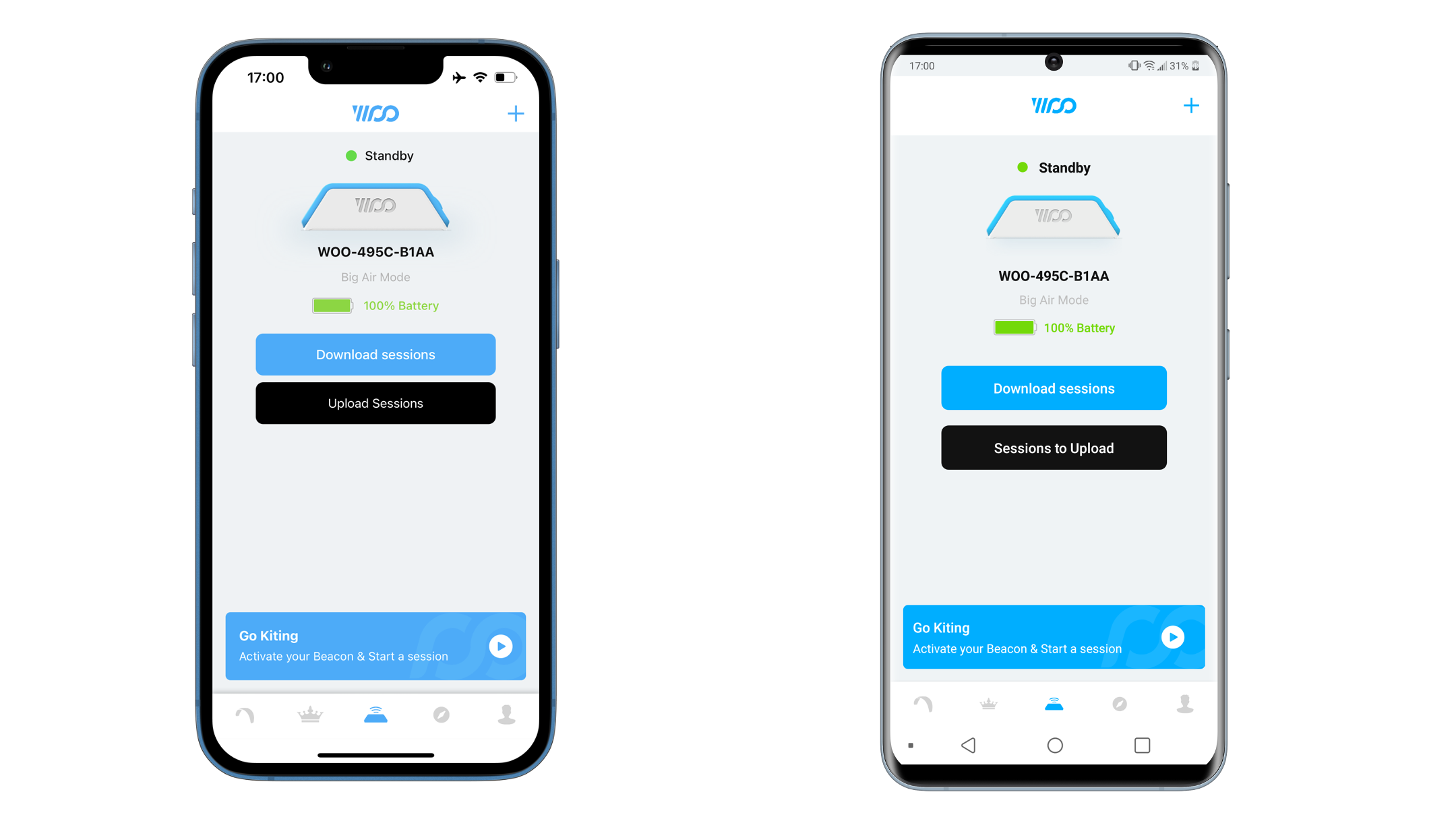
- Download the session by selecting the black download session button.
Post Session
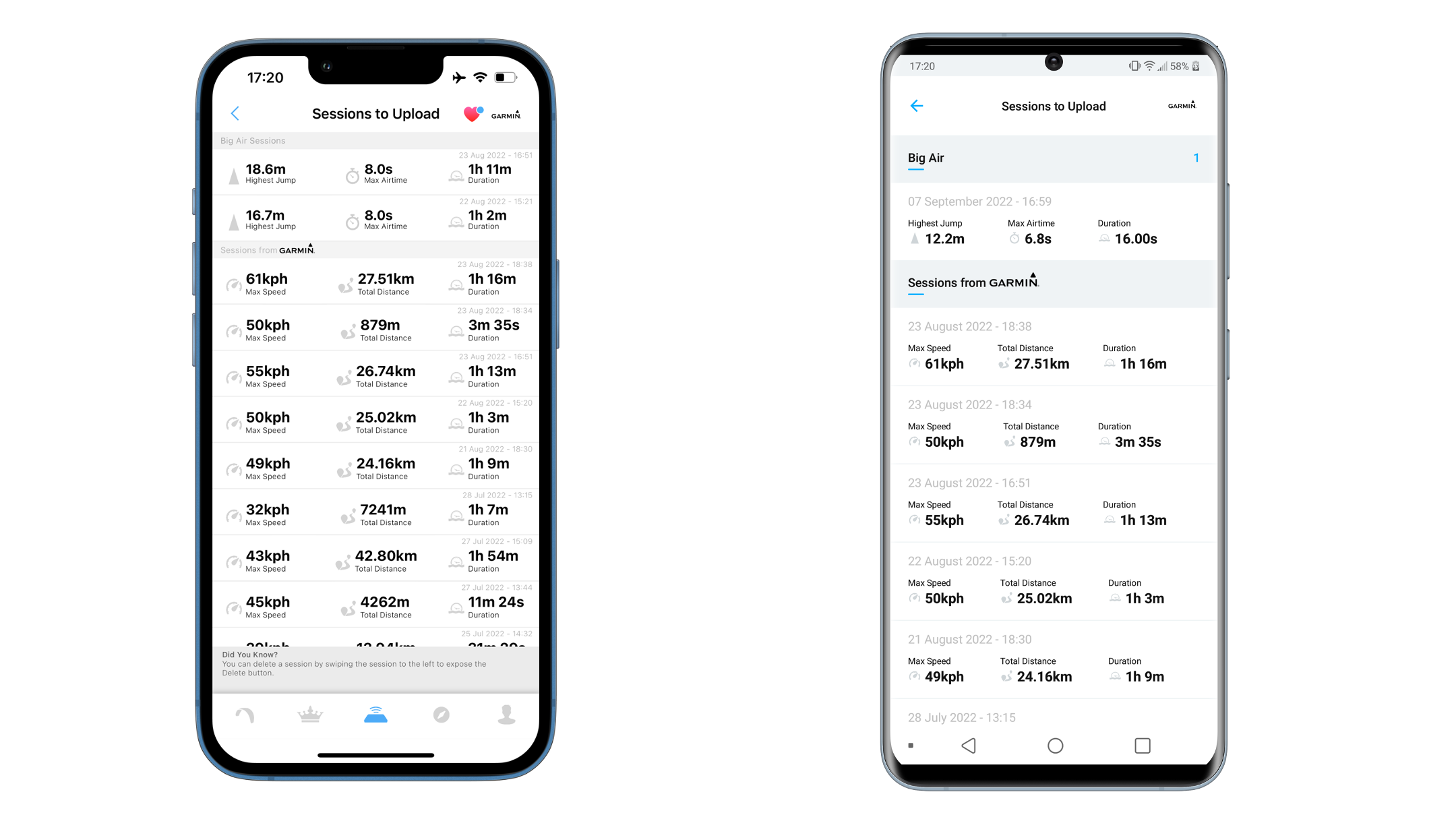
- Select Session you want to upload from your "post sessions" page
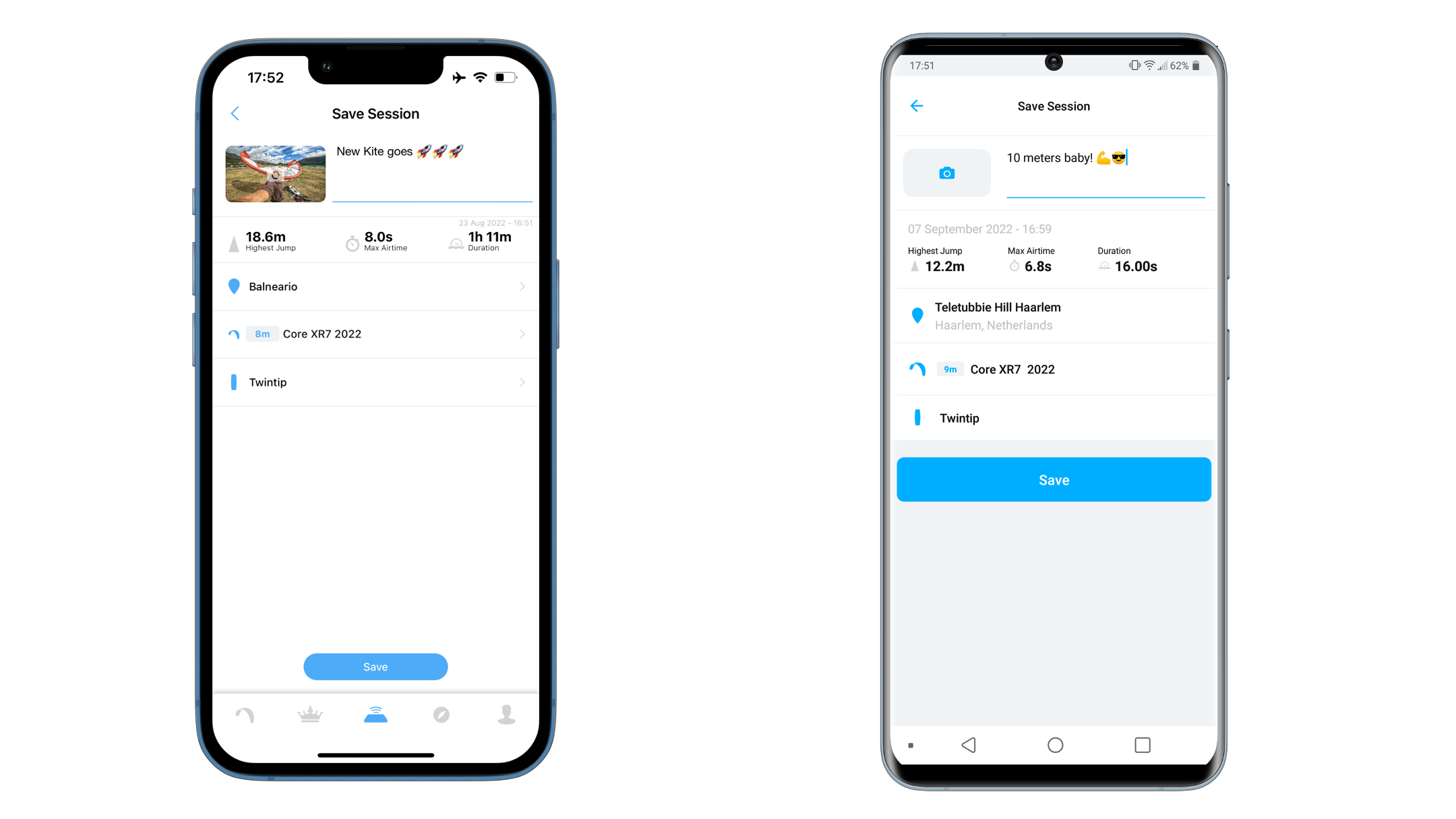
- Add a description, select the kite spot and choose your quiver used while riding.
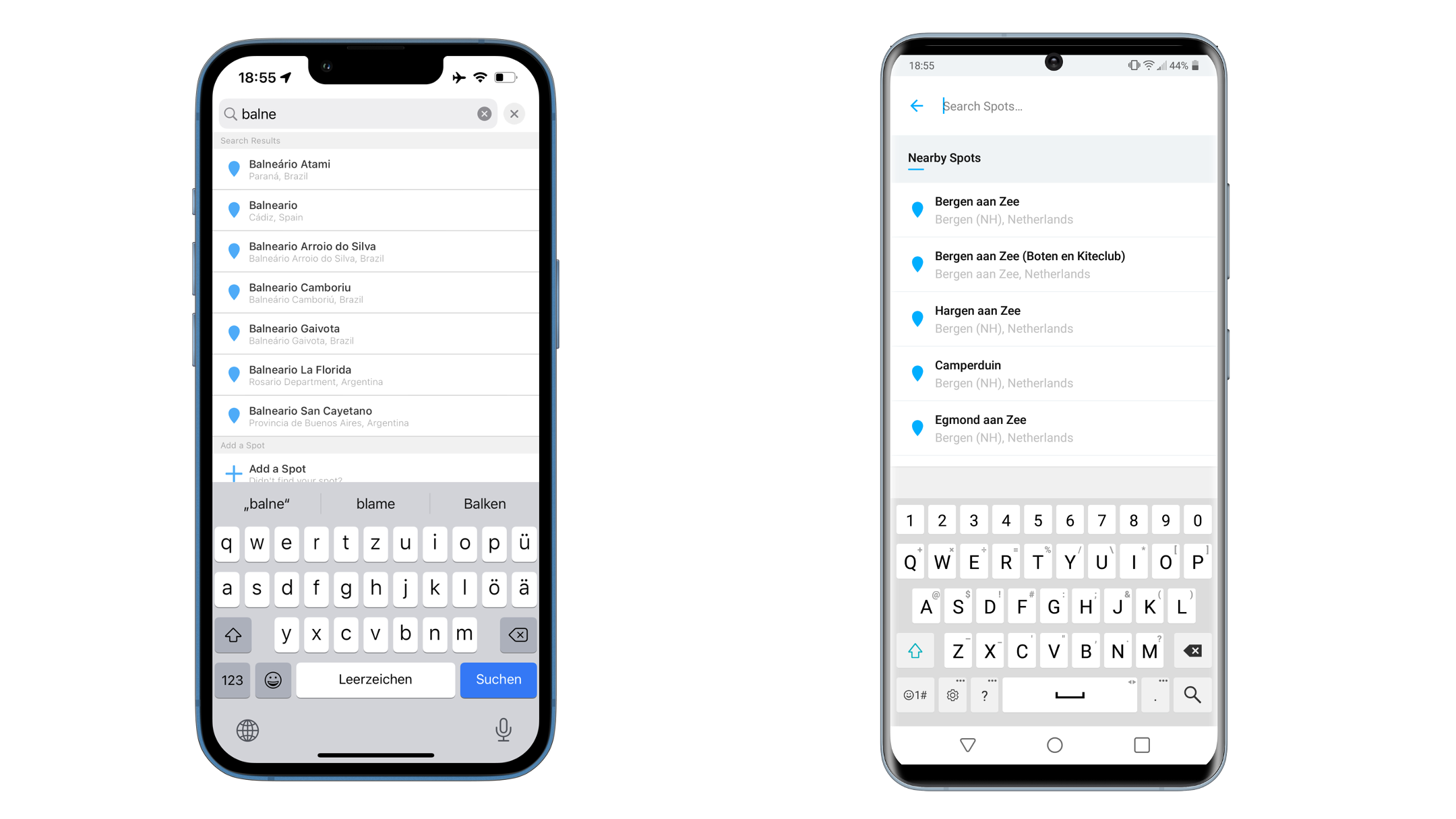
- Press save and you will have posted your First WOO sensor session!
Trouble Shooting:
Why won't my WOO turn on?
Place your WOO on the wireless charger first and confirm the charger's LED is lit before putting the WOO on it — a lit LED means the charger is receiving power. If your WOO still doesn't respond on the charger, use a wall adapter or laptop USB port instead of a USB hub, splitter, or car charger, since these often don't supply enough consistent power. Once charged, hold the power button for about 2.5 seconds to turn it on.
Why won't my WOO start recording?
First confirm your WOO is powered on and in standby mode — the LED should be blinking green. If it's off, hold the power button for 2.5 seconds to turn it on.
Once it's in standby, a quick tap of the power button starts recording; the LED will switch to blinking red.
If you're trying to record a specific game mode (Kite – Big Air vs. Kite – Freestyle), make sure the WOO is in the correct mode first.
Switch modes by holding the power button for 4 seconds while the WOO is in standby (blinking green) — you'll see the blink pattern change to confirm the switch.
How do I know if my WOO is actually recording?
Check the LED color: blinking green means standby (not recording — no data is being captured), and blinking red means it's actively recording. If you're recording alongside a paired watch, the same applies on the watch screen — a red dot means recording, a green dot means standby.
Why is my session duration shorter than the time I actually spent kiting?
Your WOO measures duration from your first jump to your last jump — not from when you started recording to when you stopped. If you don't jump right at the beginning or end of your session, that dead time isn't counted, so the recorded duration will read shorter than your actual time on the water.
To get the most accurate duration from the WOO sensor on its own, jump right at the start of your session and again right at the end — that way your first and last jump line up closely with when you actually started and stopped riding.
For the most accurate duration overall, pair your WOO with a GPS watch (Apple Watch, Android Watch, or Garmin). When a watch session is fused with your WOO session, the session takes its duration from the watch's GPS recording instead of jump-to-jump timing. To make this work, always start recording on both your WOO and your watch at the same time, and end the session on both at the same time.
Why does my session show the wrong date, or look like it happened in 1999?
Your WOO loses track of the real time after three specific events: waking up from shelf mode (sitting idle for 15+ days), a reset, or a firmware update. In each case, the WOO's internal clock resets and it doesn't know the current date until it reconnects.
Fix it by connecting your WOO to the WOO app on your phone or watch right away — this automatically sets the clock so future sessions are timestamped correctly. If you see three quick blue LED blinks when you press the button, that's your WOO confirming it just woke up from shelf mode.
Why won't my watch validate or start a Big Air session with my WOO?
Before a paired watch session can start, the watch needs to validate its connection to the WOO, and that validation can fail for a couple of reasons:
Your WOO isn't on the latest firmware — check for and complete a firmware update. by connecting to your mobile WOO app.
The WOO is still connected to another device (like your phone) — disconnect it before pairing to your watch.
Why can't I connect my WOO to my phone to download a session?
Make sure the WOO is out of recording mode and back in standby (blinking green) — it needs to be in standby to pair reliably. Then check that Bluetooth is turned on and that the WOO Sports app has Bluetooth permission on your phone.
To pair, go to the My WOO screen in the app, tap the blue + in the top right, and tap your WOO's ID when it appears in the scan results. You can find your WOO's ID engraved on the bottom of the device if you need to confirm you're connecting to the right one.
Where do I find my session after I download it?
After connecting to your WOO from the My WOO screen and tapping the download button, wait for the download to finish, then tap sessions to post to see the basic stats (highest jump, date) for what you just downloaded. From there you can add a description, tag your spot and quiver, and post it to your profile.
Updated about 1 month ago