
Managing Participants
You created your event and you want to invite participants and see those live leaderboards!
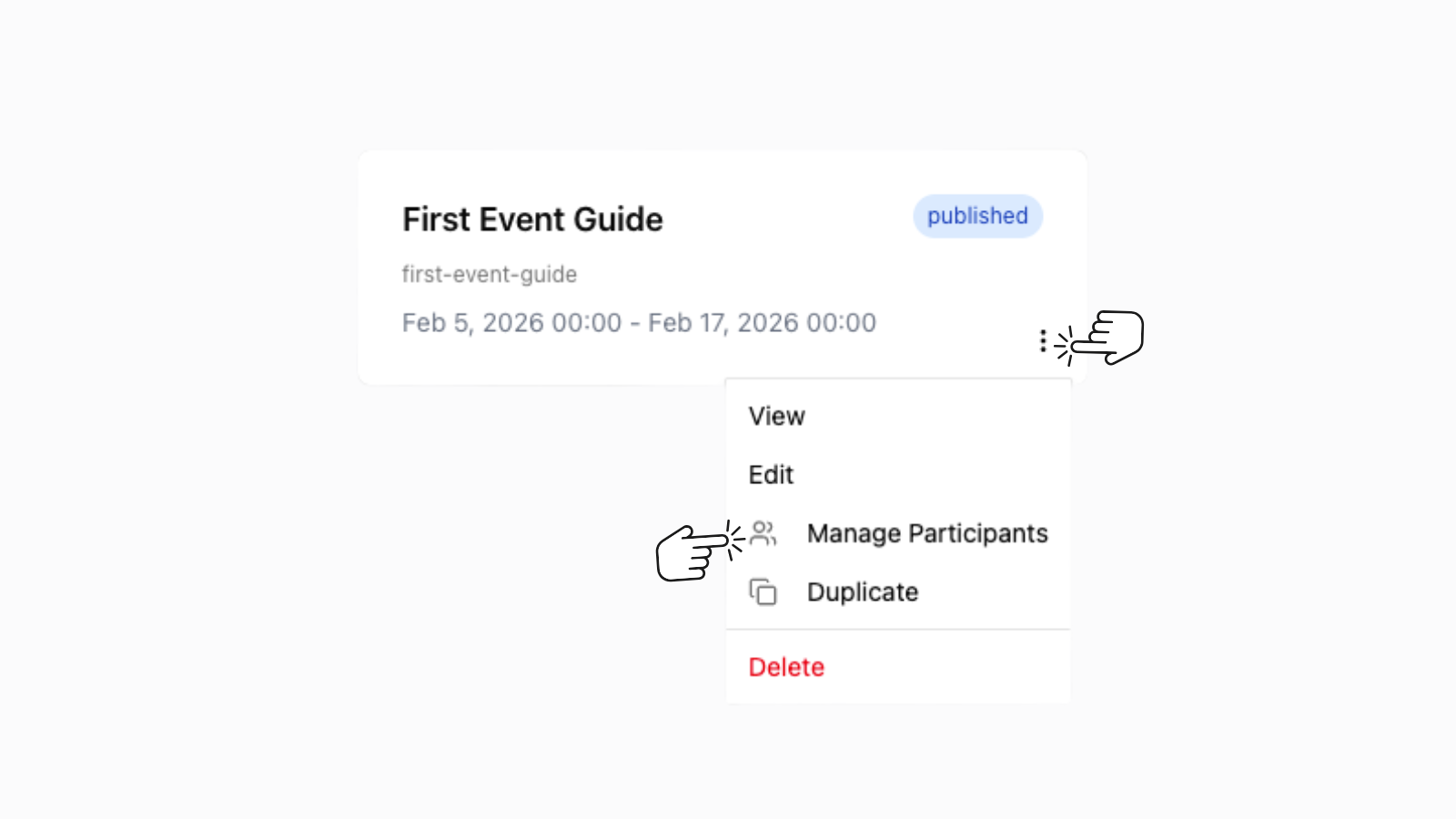
Navigate to "Manage Participants"
- Click on the 3 grey dots on the bottom right of your published event.
- From the drop down menu select "Manage Participants.
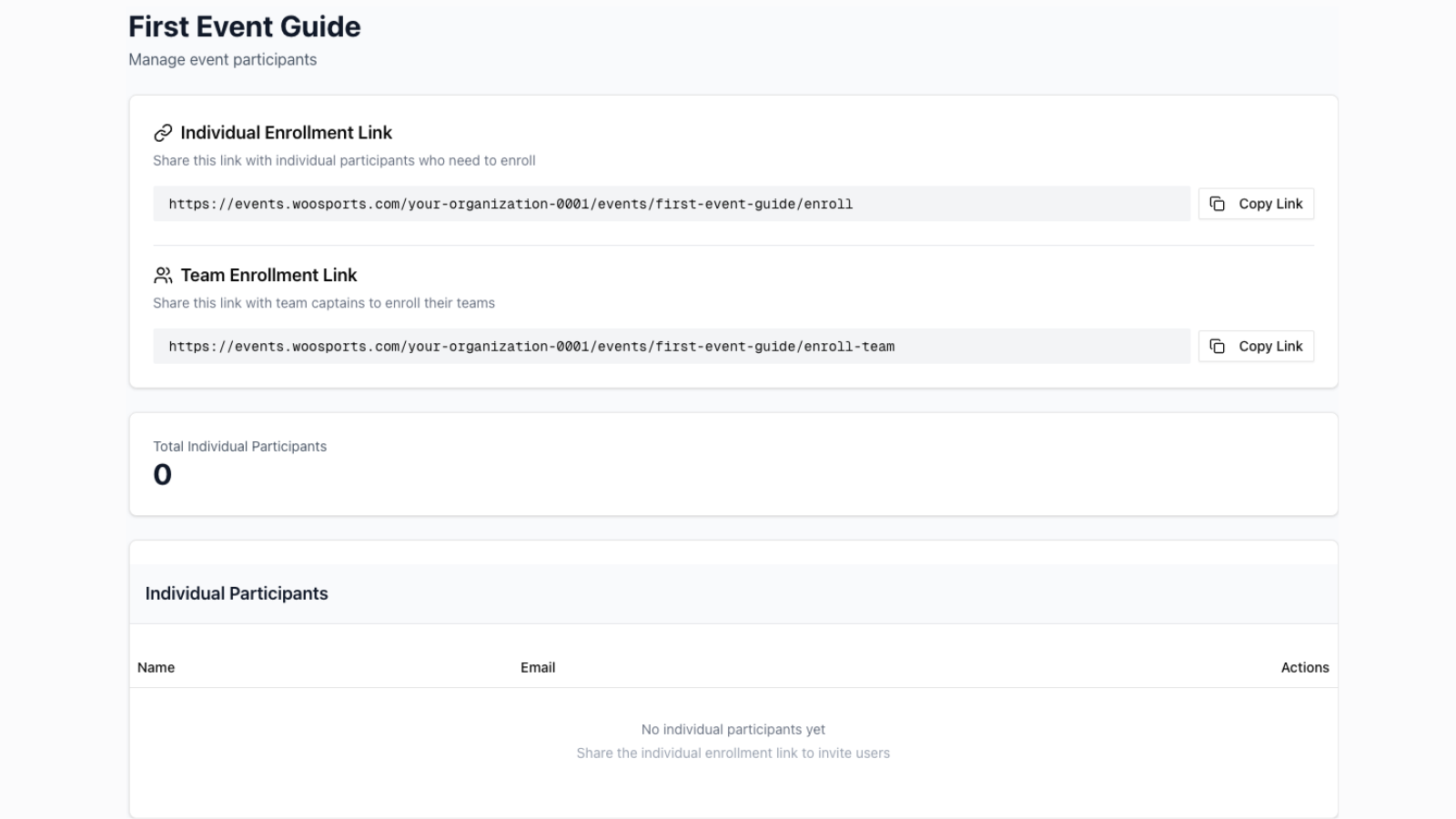
From the "Manage Participants page you can copy to share the individual and team enrolment links
- Individual enrolment for normal disciplines
- Team enrolment is for the captain of the team from https://teams.woosports.com
In other words only the captain can enrol a team and the individual members do not need to each enrol to the team event.
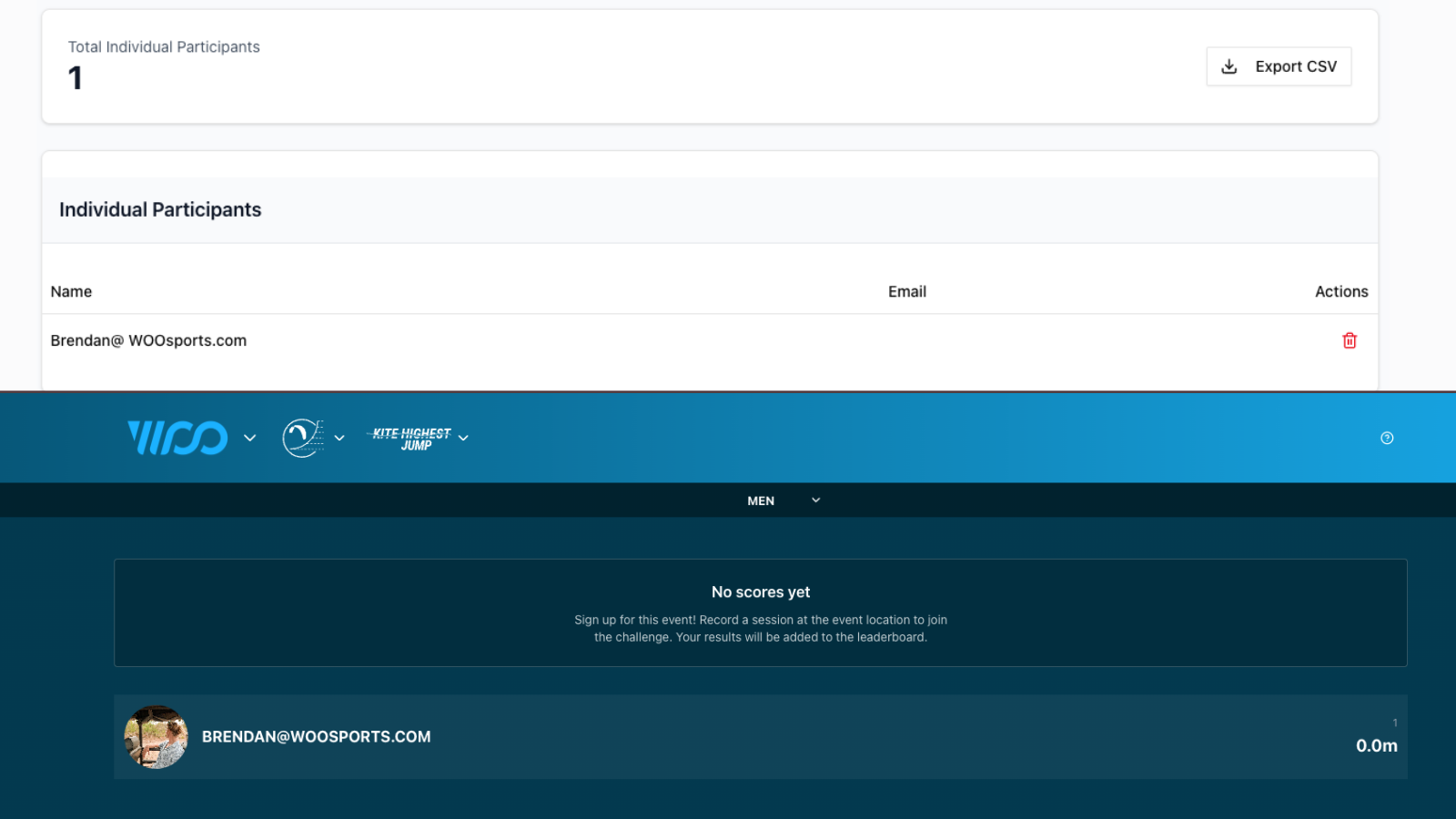
Share the link via any channels of communication and the participant will be required to log in to their WOO account and enrol, you will automatically see the participants count go up from the manage participants page and your leaderboard will also automatically populate with the participants WOO user names and 0 scores until they post a session with in the disciplines dates and filters.
Remember to also share your Leaderboard URL when inviting participants!
Updated 9 months ago