
Setup Organization
This guide is for anyone who wants to create their own kite and wing event. The first step is creating an organization to host the events.
A quick overview:
- log in and create an organization
- Dash Board and Manage Organization
How to create an Organization:
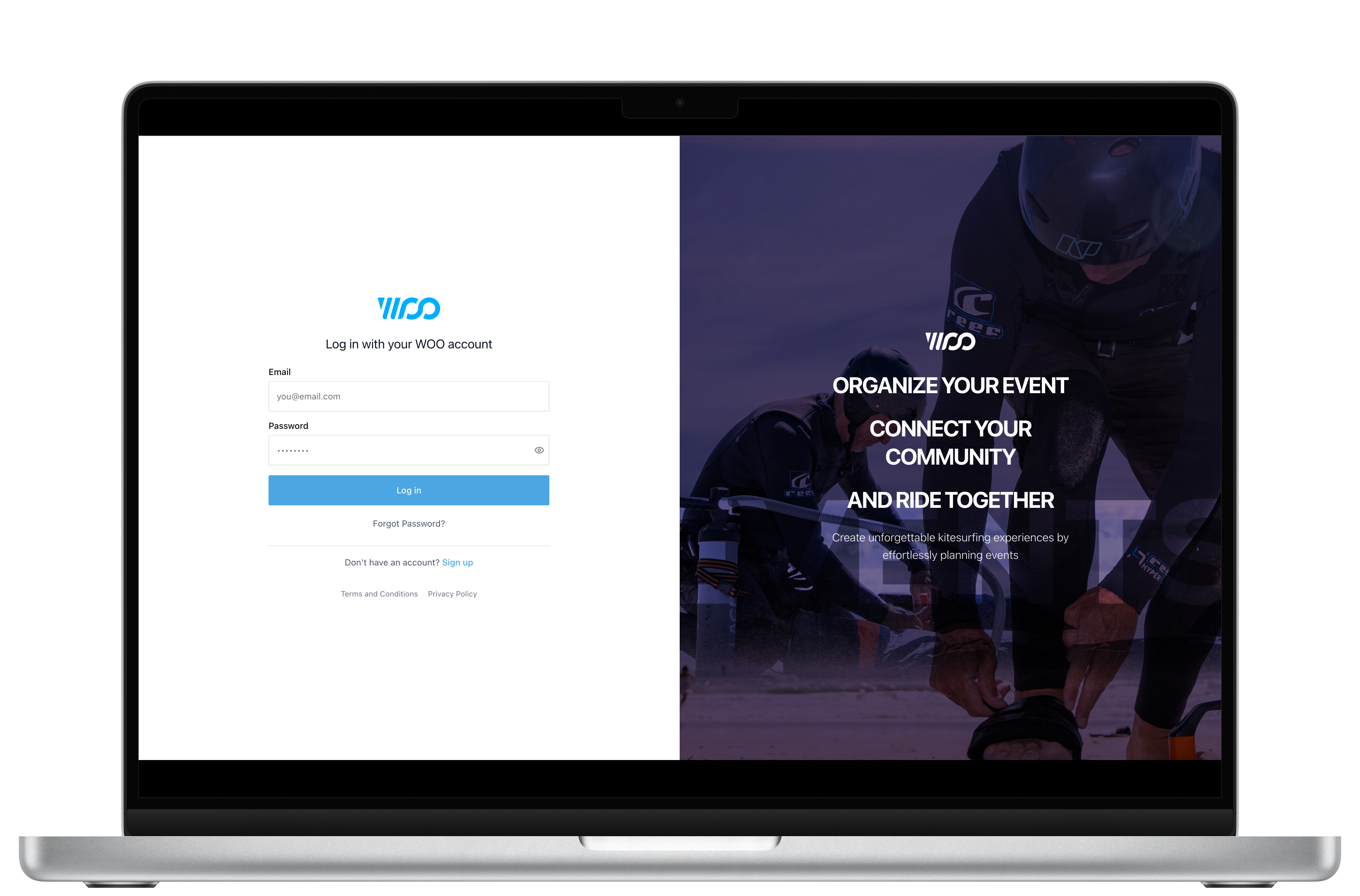
- Head to https://events.woosports.com/auth/login/
Enter a valid WOO account with its associated password (same as the WOO Mobile app), finally select log in.
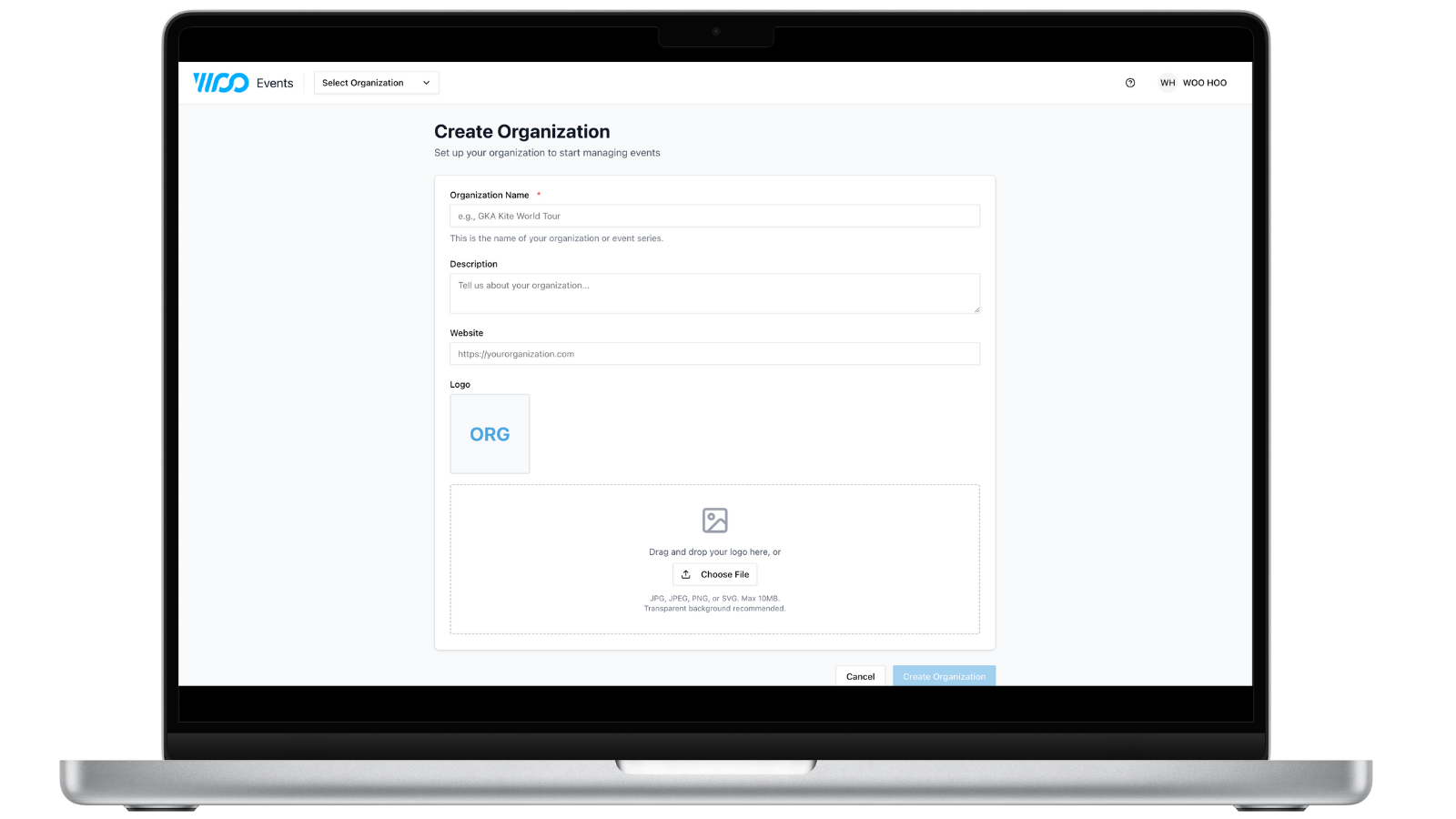
- Follow on screen instructions:
-
Add organization name
-
Short description (optional)
-
Website (optional)
-
Your organization Logo - the website automatically selects the first letters of each word in your organization's name and can be replaced by an image from your device files. 256 x256 is the best format to be viewed on leaderboards.
Note: You can only own 1 organization, but you can be a member of multiple organizations
-
Dashboard and Managing your organization:
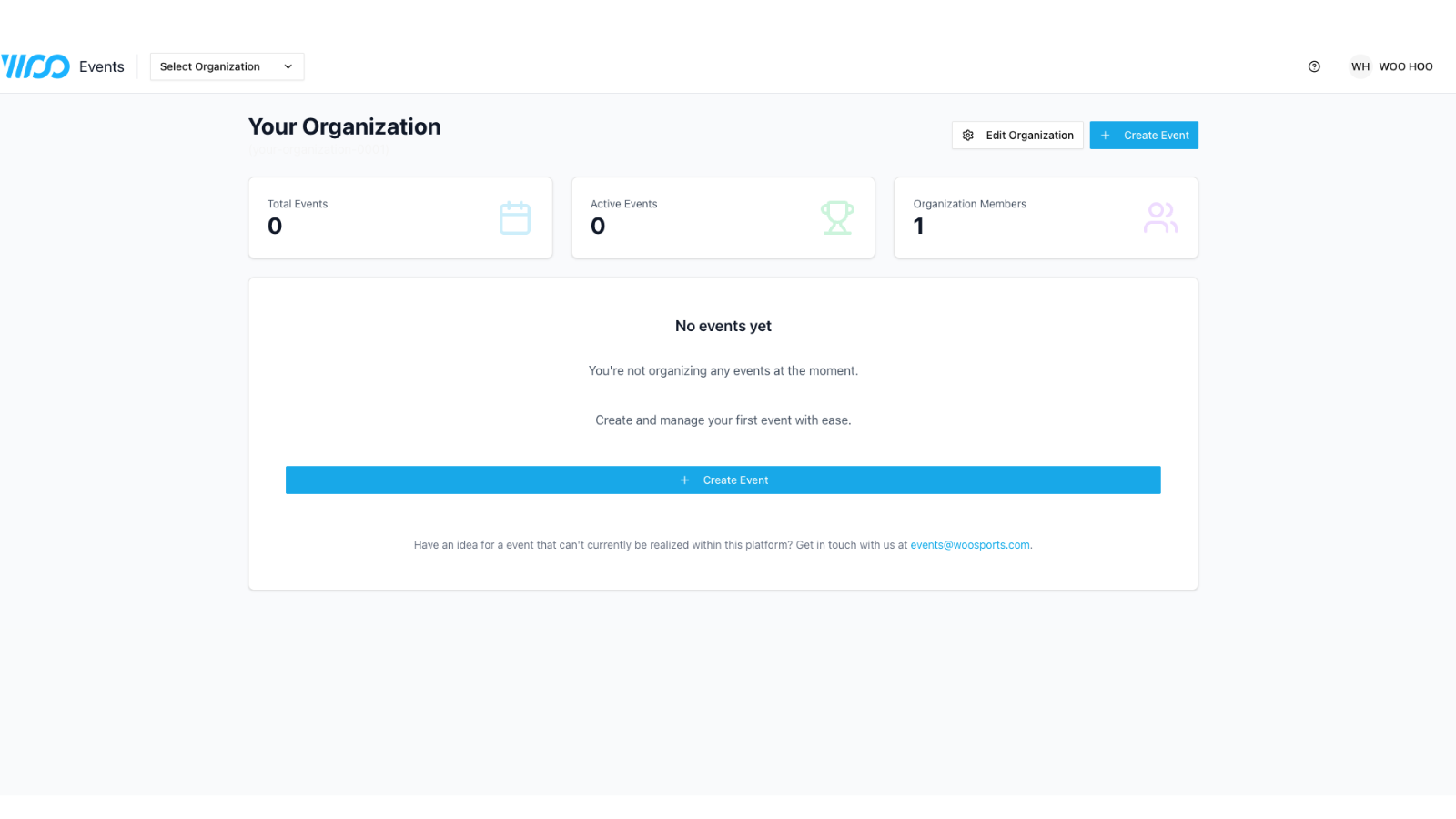
Once you have created your own Organization, you will be brought to the dashboard.
That will be your starting point every time you log-in from here on out.
From here you can:
- See how many members are helping you run your events.
- All events created and the states they are in - draft, currently running and completed.
- Create an Event.
Managing your Organization Members:
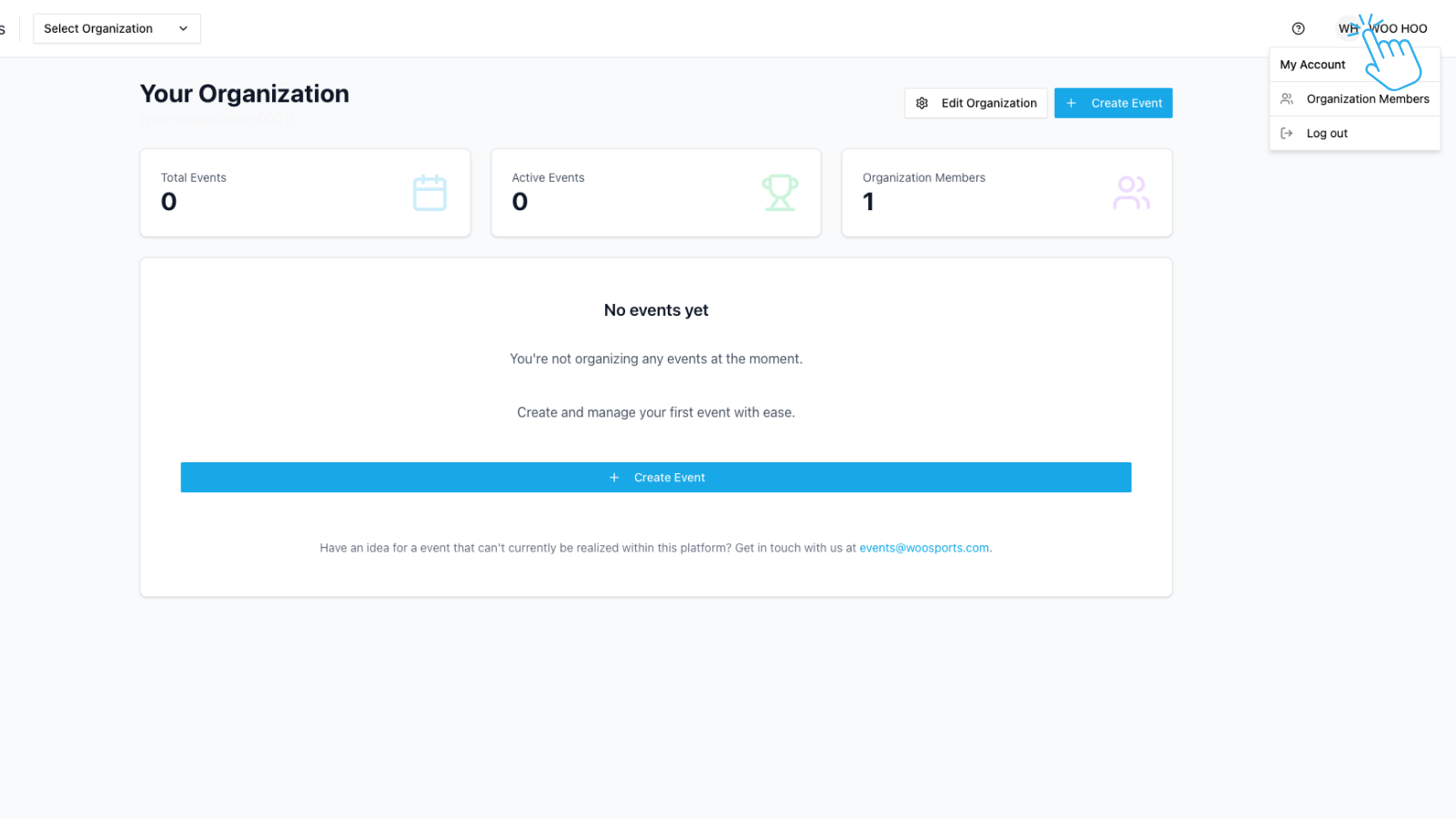
Click on your profile in the top right hand side of the screen, this will initiate a drop down screen, select "Organization Members"
Note: All Members need a WOO account.
Roles
- Admin:
Full Control over Organization and Events, they can create, edit and delete events, edit organization details and add members. - Member:
Full control over events but cannot add members or edit organization details.
Adding Members:
- Click on "Add Organization Member"
- Enter WOO Account email address
- Select role - Admin or member
- Click on "Add Member"
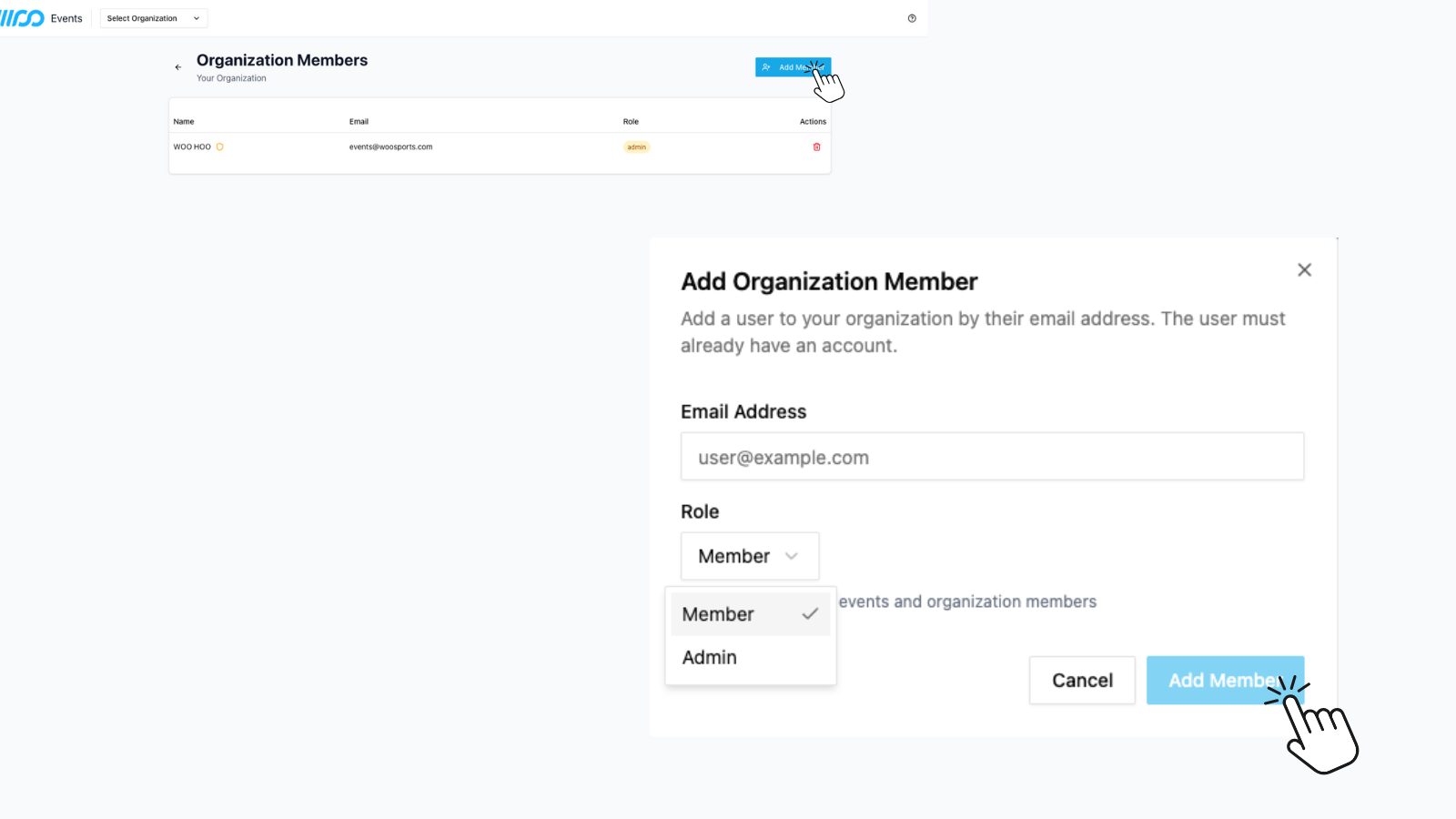
To delete a member, simply click on the red dustbin icon.
If you want to retire your position as owner you will need to add a new Admin role member to continue managing the organization.
Updated 8 months ago