
Download Session
Pairing, Downloading and posting your Big Air session,
Connecting WOO to Mobile:
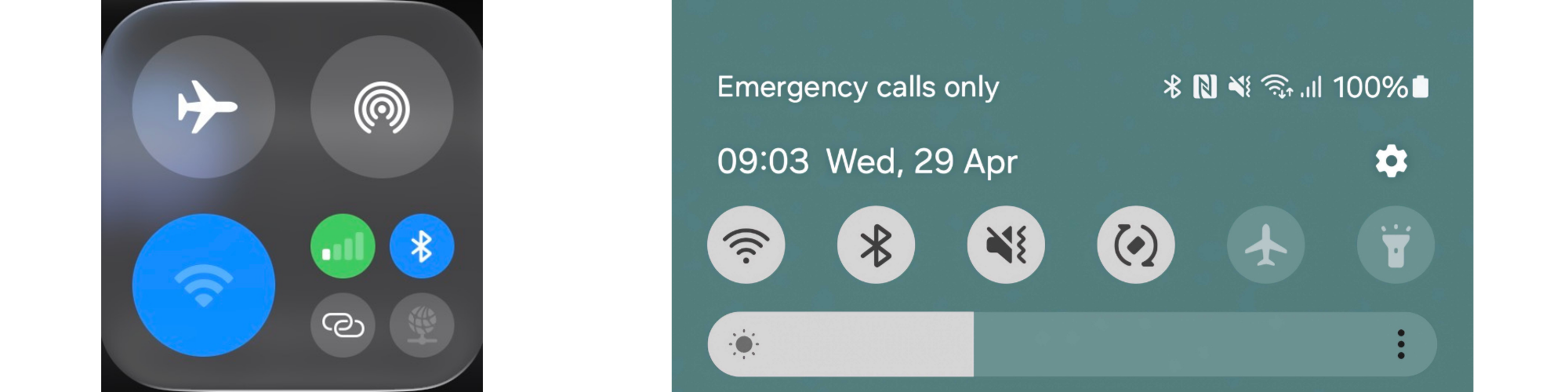
- Power WOO or make sure it is off recording mode and back to standby. (green flash).
- Make sure your phone's bluetooth is on, bluetooth permissions is set to allow for WOO Sports app.
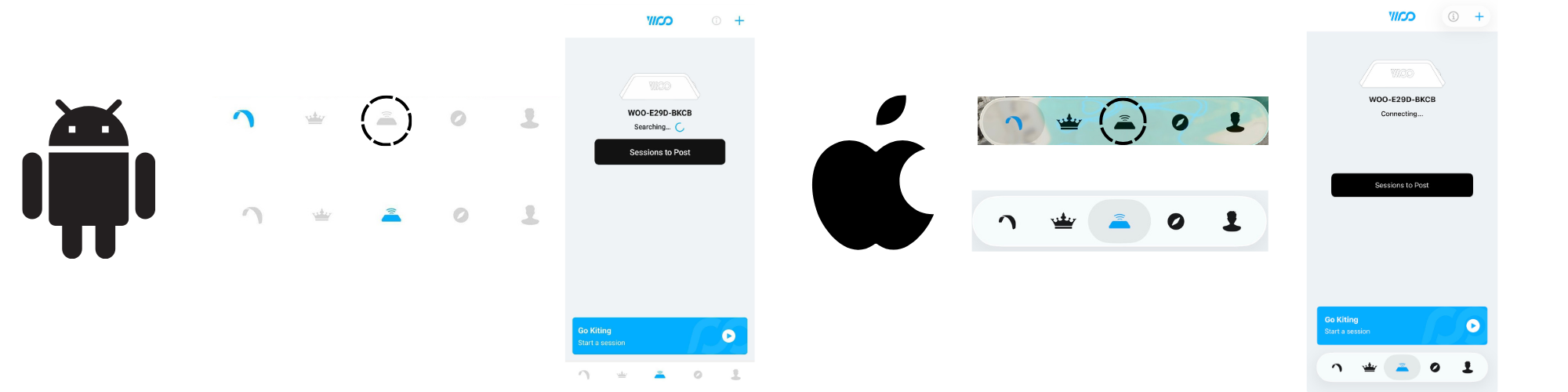
- Open the WOO app. Go to My WOO screen.
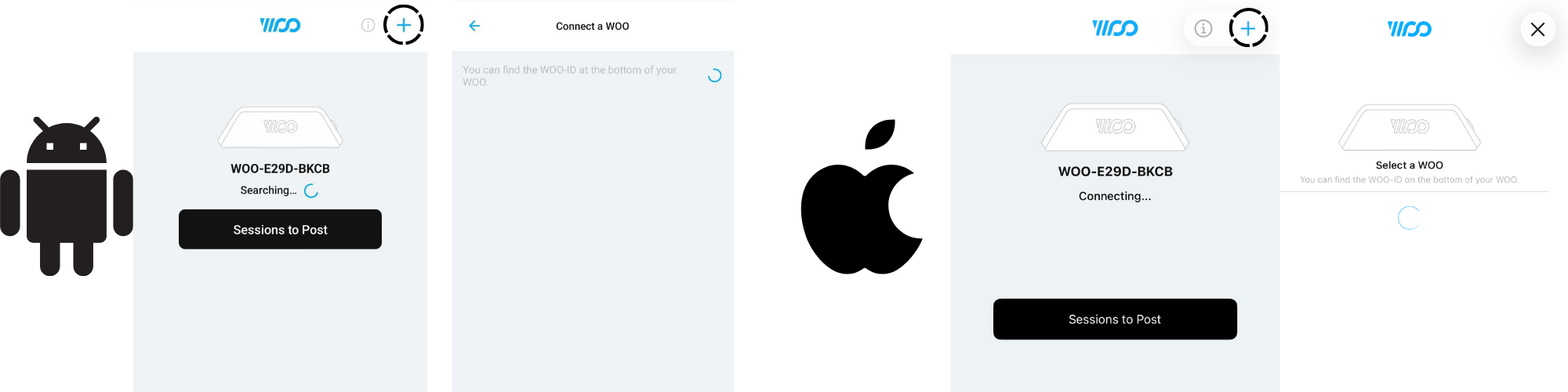
- Pair/Connect to your WOO.
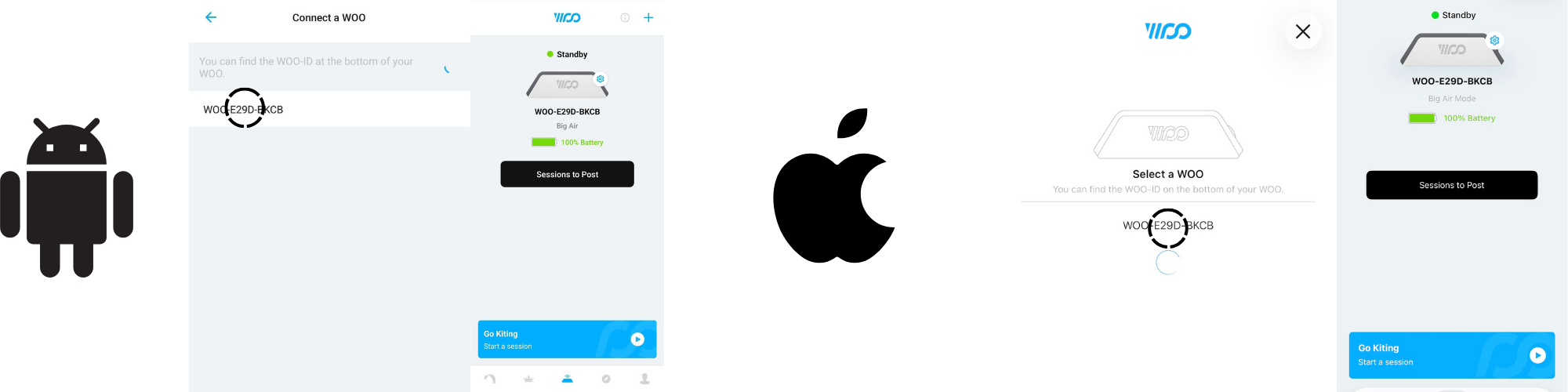
To pair Tap the Blue "+" top right of the My WOO screen, when you WOO's ID pops up, tap on the ID to pair.
Downloading the session:
-
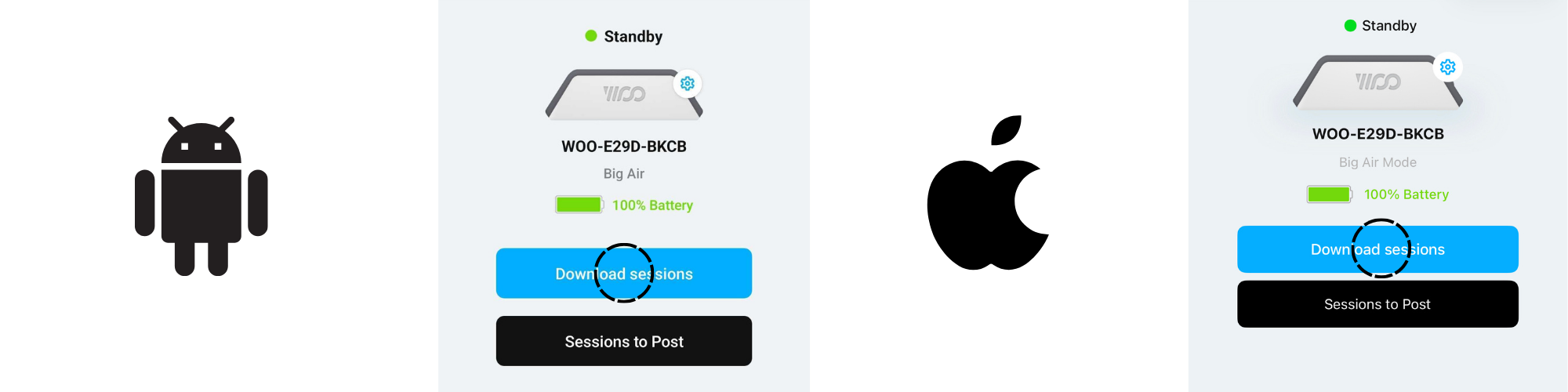
Connect to the WOO
-
Tap the blue download button
-
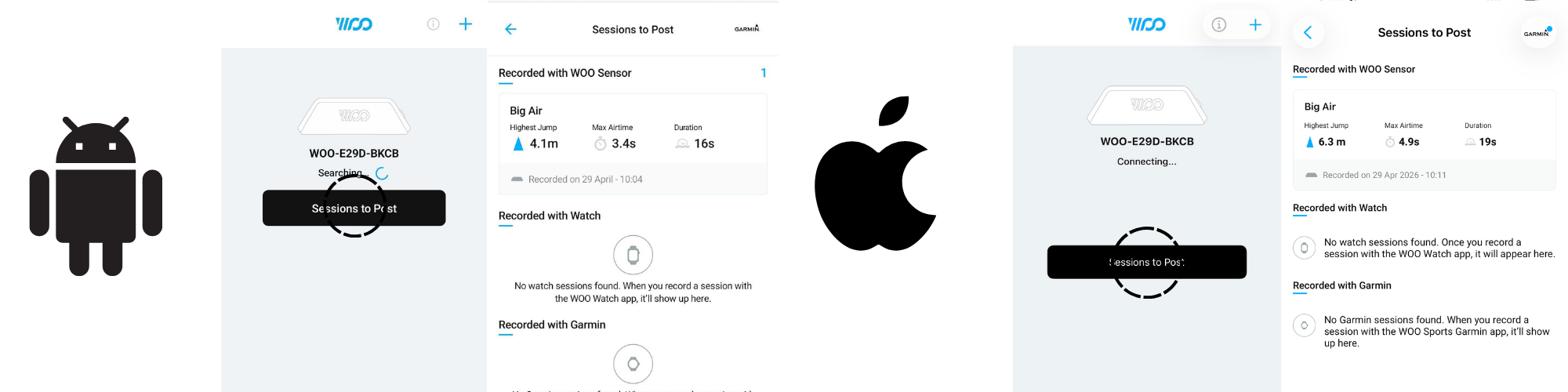
Wait for the download to finish and tap "sessions to post" to view the basic stats of your session.
(highest jump, Date)
Updated 5 months ago